containerization-and-devops
Experiment 6A: Comparison of Docker Run and Docker Compose
PART A – THEORY
1. Objective
To understand the relationship between Docker Run and Docker Compose, and compare their syntax and use cases.
2. Background Theory
2.1 Docker Run (Imperative Approach)
- Used to create and start containers.
- Requires manual flags for everything (Ports, Volumes, Networks, Restart policies, Resources, Names).
Example:
docker run -d \
 --name my-nginx \
 -p 8080:80 \
 -v ./html:/usr/share/nginx/html \
 -e NGINX_HOST=localhost \
 --restart unless-stopped \
 nginx:alpine
2.2 Docker Compose (Declarative Approach)
- Uses
docker-compose.ymlto define services, networks, and volumes in a single file. - One command (
docker compose up -d) runs everything.
Equivalent Compose File:
version: '3.8'
services:
  nginx:
    image: nginx:alpine
    container_name: my-nginx
    ports:
      - "8080:80"
    volumes:
      - ./html:/usr/share/nginx/html
    environment:
      NGINX_HOST: localhost
    restart: unless-stopped
3. Mapping: Docker Run vs Compose
| Docker Run | Docker Compose |
|---|---|
-p |
ports |
-v |
volumes |
-e |
environment |
--name |
container_name |
--network |
networks |
--restart |
restart |
--memory |
deploy.resources.limits.memory |
--cpus |
deploy.resources.limits.cpus |
4. Advantages of Docker Compose
- Multi-container support
- Reproducibility & Version control
- Unified lifecycle commands
- Scaling capability (
docker compose up --scale web=3)
PART B – PRACTICAL TASKS
Task 1: Single Container Comparison
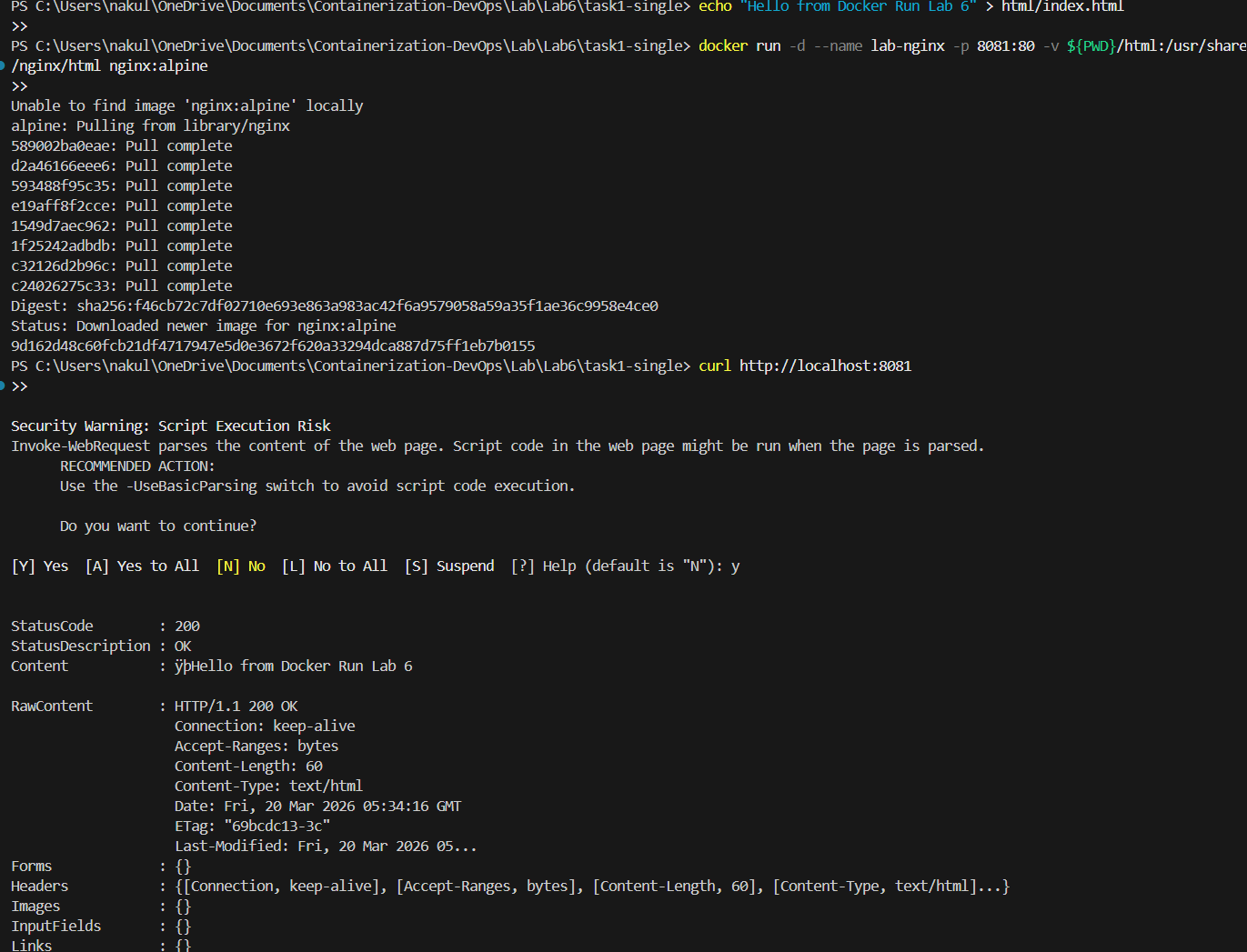
Using Docker Run
docker run -d --name lab-nginx -p 8081:80 -v $(pwd)/html:/usr/share/nginx/html nginx:alpine
curl http://localhost:8081
Using Docker Compose
docker-compose.yml
version: '3.8'
services:
  nginx:
    image: nginx:alpine
    container_name: lab-nginx
    ports:
      - "8081:80"
    volumes:
      - ./html:/usr/share/nginx/html
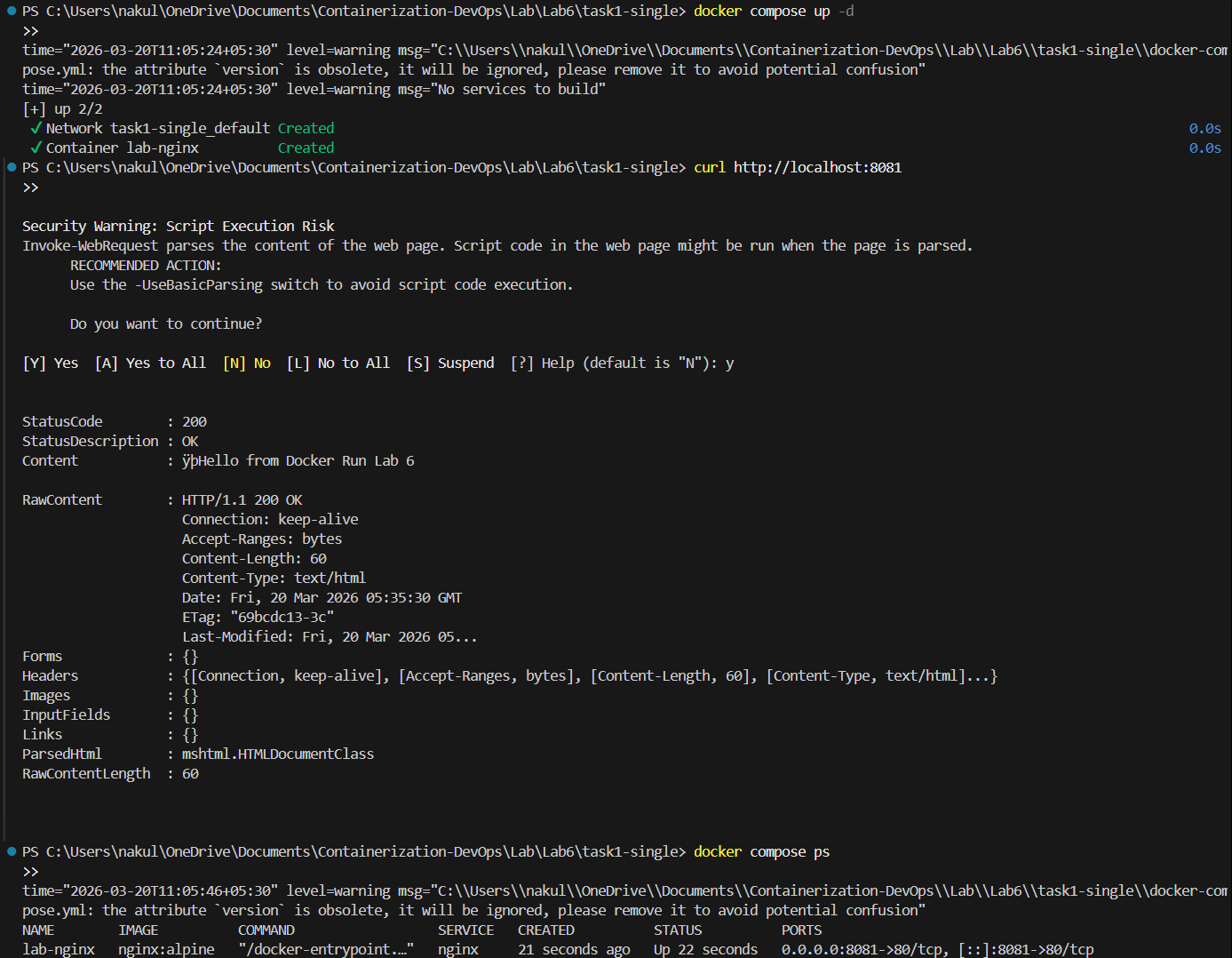
docker compose up -d
docker compose ps
Task 2: Multi-Container App (WordPress + MySQL)
Using Docker Run (Manual approach)
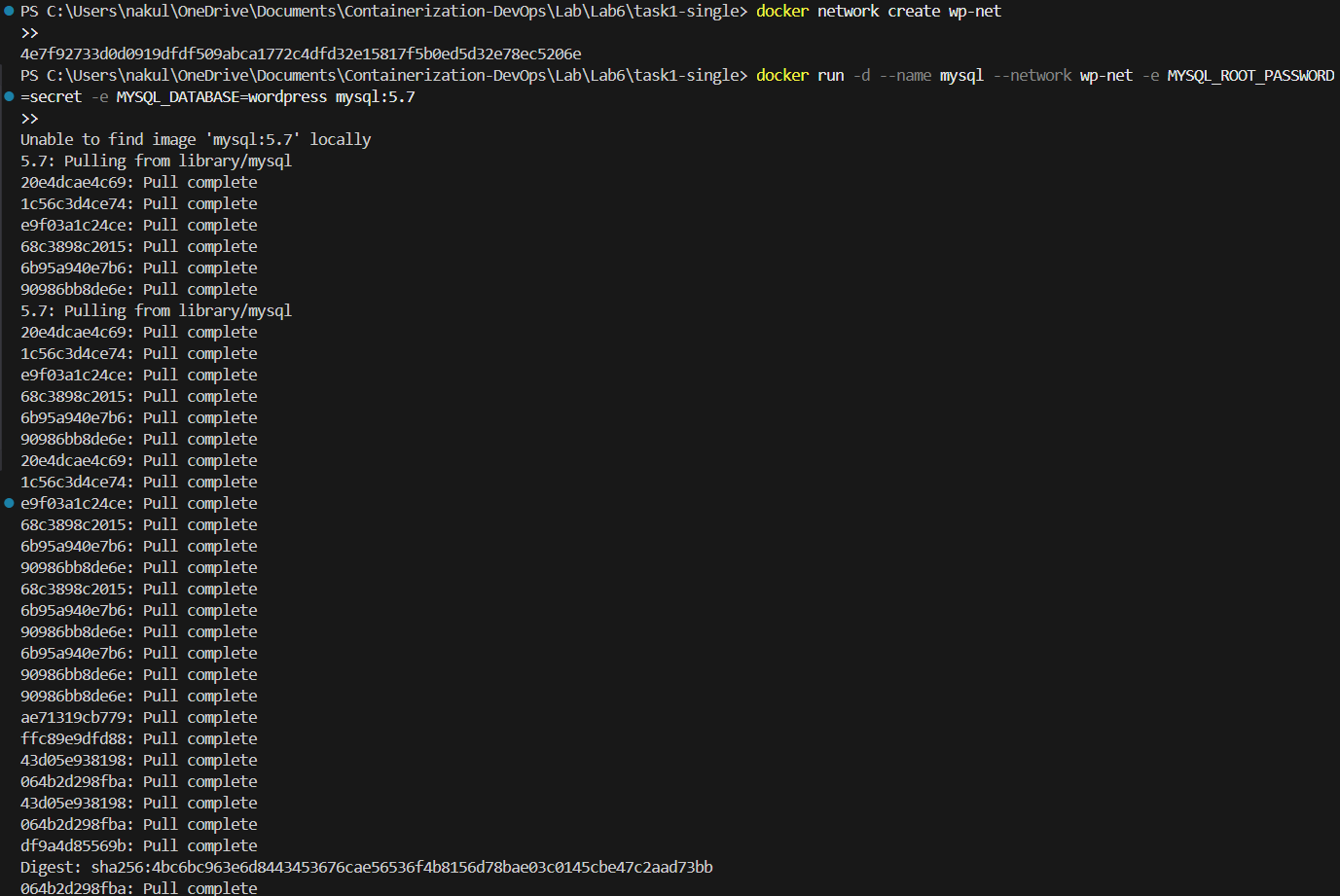
docker network create wp-net

docker run -d --name mysql --network wp-net -e MYSQL_ROOT_PASSWORD=secret -e MYSQL_DATABASE=wordpress mysql:5.7

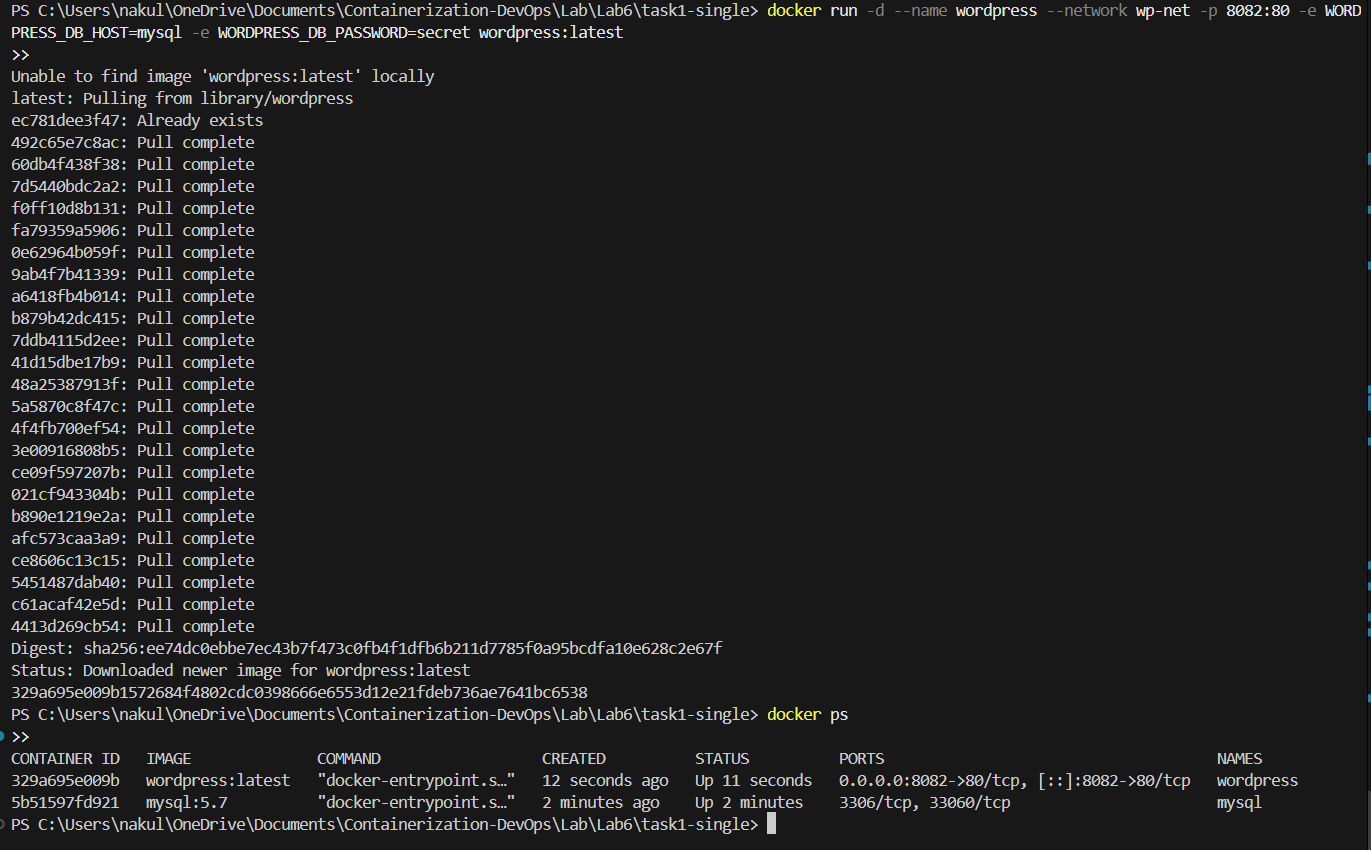
docker run -d --name wordpress --network wp-net -p 8082:80 -e WORDPRESS_DB_HOST=mysql -e WORDPRESS_DB_PASSWORD=secret wordpress:latest
(Note: The equivalent steps in Compose are demonstrated in Experiment 6B below).
PART C – CONVERSION TASKS (Theory)
Converting manual docker run commands and configurations into declarative docker-compose.yml configurations:
Task 3: Convert Run → Compose
Given Run Command:
docker run -d --name webapp -p 5000:5000 -e APP_ENV=production -e DEBUG=false --restart unless-stopped node:18-alpine
Converted Compose File:
version: '3.8'
services:
  webapp:
    image: node:18-alpine
    container_name: webapp
    ports:
      - "5000:5000"
    environment:
      APP_ENV: production
      DEBUG: false
    restart: unless-stopped
Task 4 & 5: Volumes, Networks, and Resource Limits
Compose clearly organizes dependencies, limits, and custom named networks natively without extra CLI scaffolding. (See lab theory notes for full limit syntax using deploy:).
PART D – DOCKERFILE WITH COMPOSE
We can combine custom image building with Compose orchestration.
app.js
const http = require('http');
http.createServer((req, res) => {
  res.end("Docker Compose Build Lab");
}).listen(3000);
Dockerfile
FROM node:18-alpine
WORKDIR /app
COPY app.js .
EXPOSE 3000
CMD ["node", "app.js"]
docker-compose.yml
version: '3.8'
services:
  nodeapp:
    build:
      context: .
      dockerfile: Dockerfile
    container_name: custom-node-app
    ports:
      - "3000:3000"
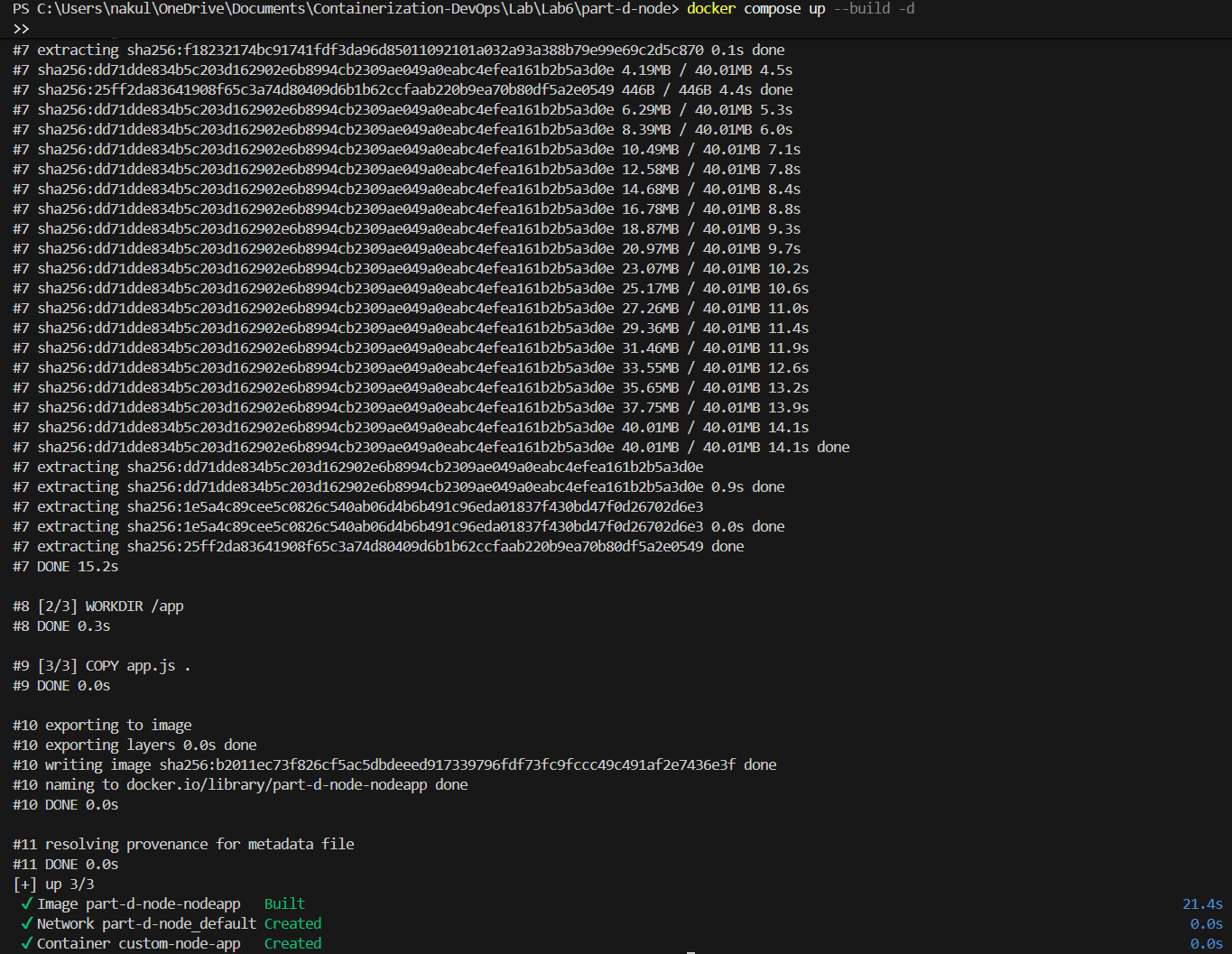
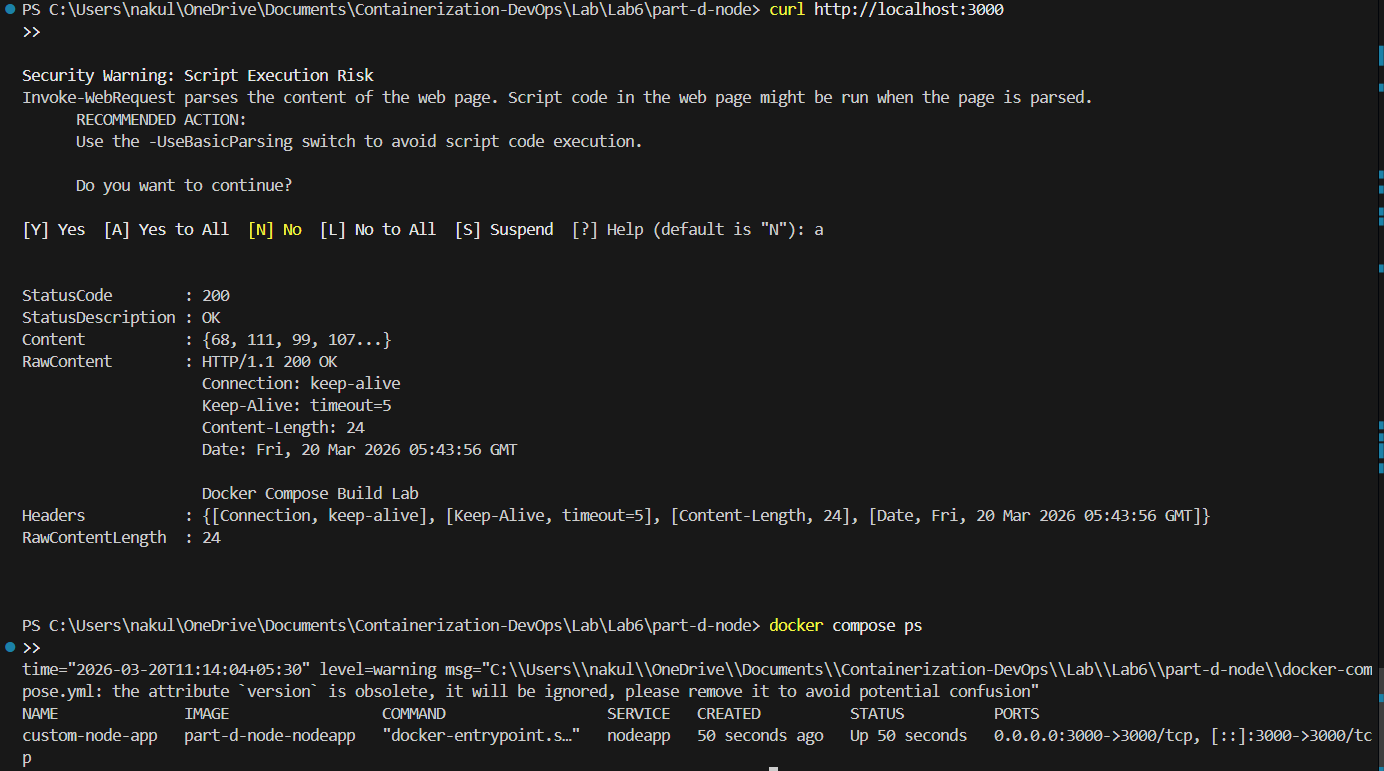
docker compose up --build -d
curl http://localhost:3000
Experiment 6B: WordPress + MySQL using Compose
Using a single Compose file completely replaces the manual networking and container execution from Task 2.
docker-compose.yml
version: '3.9'
services:
  db:
    image: mysql:5.7
    container_name: wordpress_db
    restart: always
    environment:
      MYSQL_ROOT_PASSWORD: rootpass
      MYSQL_DATABASE: wordpress
      MYSQL_USER: wpuser
      MYSQL_PASSWORD: wppass
    volumes:
      - db_data:/var/lib/mysql

  wordpress:
    image: wordpress:latest
    container_name: wordpress_app
    depends_on:
      - db
    ports:
      - "8080:80"
    restart: always
    environment:
      WORDPRESS_DB_HOST: db:3306
      WORDPRESS_DB_USER: wpuser
      WORDPRESS_DB_PASSWORD: wppass
      WORDPRESS_DB_NAME: wordpress
    volumes:
      - wp_data:/var/www/html

volumes:
  db_data:
  wp_data:
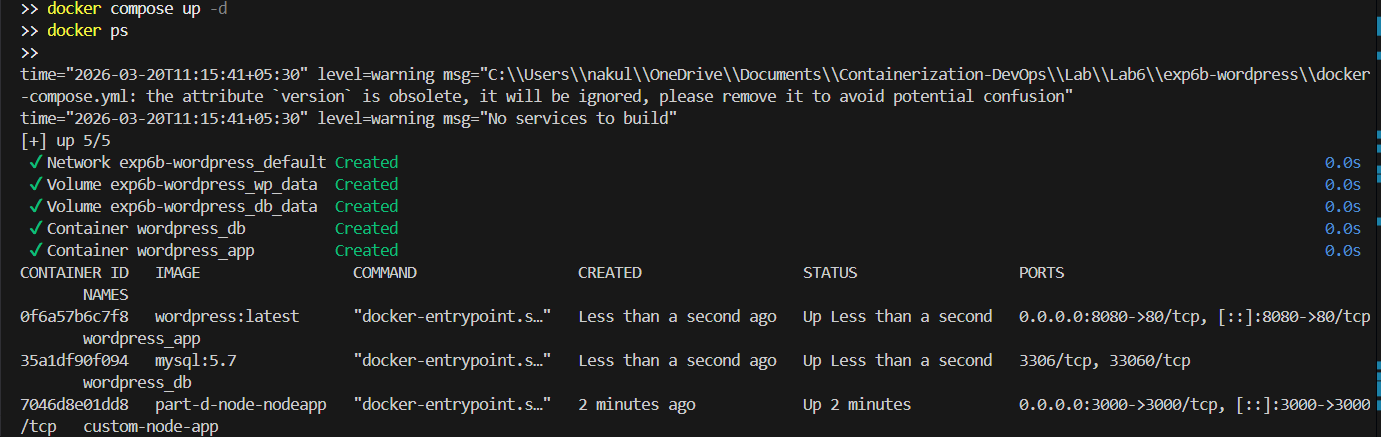
1. Run the Stack
docker compose up -d
docker ps
2. Scaling
docker compose up --scale wordpress=3

Important Learning Outcome: The scaling intentionally throws an error because standard Docker Compose is limited here. Since
container_name: wordpress_appandports: "8080:80"are hardcoded in the file, Compose cannot launch 3 replicas that all want the identical name and host port. This demonstrates the exact scenario where Docker Swarm (which handles dynamic naming and load balances identical ports) becomes necessary for production!
Docker Compose vs Swarm Comparison
| Feature | Compose | Swarm |
|---|---|---|
| Scope | Single host | Multi-node |
| Scaling | Manual / Limited by port bindings | Built-in |
| Load balancing | No | Yes |
| Self-healing | No | Yes |
Key Takeaways
- Compose simplifies multi-container apps by keeping settings in version control.
- Declarative approach is much easier than manually tracking
docker runflags. - Compose is excellent for dev/test, but limited in native scaling due to port/name collisions without strict dynamic tuning.
- Docker Swarm is much better for production cluster orchestration, load balancing, and self-healing.
🔗 Navigation
| Previous | Home | Next |
|---|---|---|
| ← Lab 5 | Main README | — |
All Labs
- Lab 1 — VM vs Container Comparison
- Lab 2 — Docker Installation & GitHub Pages
- Lab 3 — Docker Images, NGINX & Flask Deployment
- Lab 4 — Docker Essentials
- Lab 5 — Volumes, Env Vars, Monitoring, Networks
- Lab 6 — Docker Run vs Docker Compose (You are here)