containerization-and-devops
Experiment 9: Ansible – Execution Prompt
🎯 Objective
To automate configuration and management of multiple servers using Ansible playbooks.
🛠️ Prerequisites
- Docker Installed and running.
- WSL (Ubuntu) to safely run Ansible as a Control Node.
- Python 3 installed.
🧩 Steps Performed
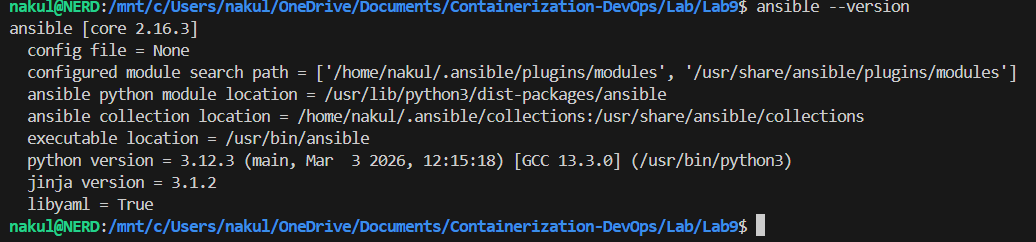
1. Install Ansible
Ansible was installed inside the Ubuntu WSL environment:
sudo apt update -y
sudo apt install ansible -y
ansible --version
📸 Screenshot:
2. Test Ansible Installation
Tested base functionality:
ansible localhost -m ping
📸 Screenshot:

3. Generate SSH Key Pair
Ansible relies on SSH. An RSA Key Pair was created to securely connect to target servers without password prompts:
ssh-keygen -t rsa -b 4096 -N "" -f ~/.ssh/id_rsa
cp ~/.ssh/id_rsa.pub .
cp ~/.ssh/id_rsa .
4. Create Dockerfile (Ubuntu SSH Server)
To simulate servers to manage, a Dockerfile was created defining an Ubuntu image with SSH and Python installed:
FROM ubuntu

RUN apt update -y
RUN apt install -y python3 python3-pip openssh-server
RUN mkdir -p /var/run/sshd

RUN mkdir -p /run/sshd && \
    echo 'root:password' | chpasswd && \
    sed -i 's/#PermitRootLogin prohibit-password/PermitRootLogin yes/' /etc/ssh/sshd_config && \
    sed -i 's/#PasswordAuthentication yes/PasswordAuthentication no/' /etc/ssh/sshd_config && \
    sed -i 's/#PubkeyAuthentication yes/PubkeyAuthentication yes/' /etc/ssh/sshd_config

RUN mkdir -p /root/.ssh && chmod 700 /root/.ssh

COPY id_rsa /root/.ssh/id_rsa
COPY id_rsa.pub /root/.ssh/authorized_keys

RUN chmod 600 /root/.ssh/id_rsa && chmod 644 /root/.ssh/authorized_keys

RUN sed -i 's@session\s*required\s*pam_loginuid.so@session optional pam_loginuid.so@g' /etc/pam.d/sshd

EXPOSE 22

CMD ["/usr/sbin/sshd", "-D"]
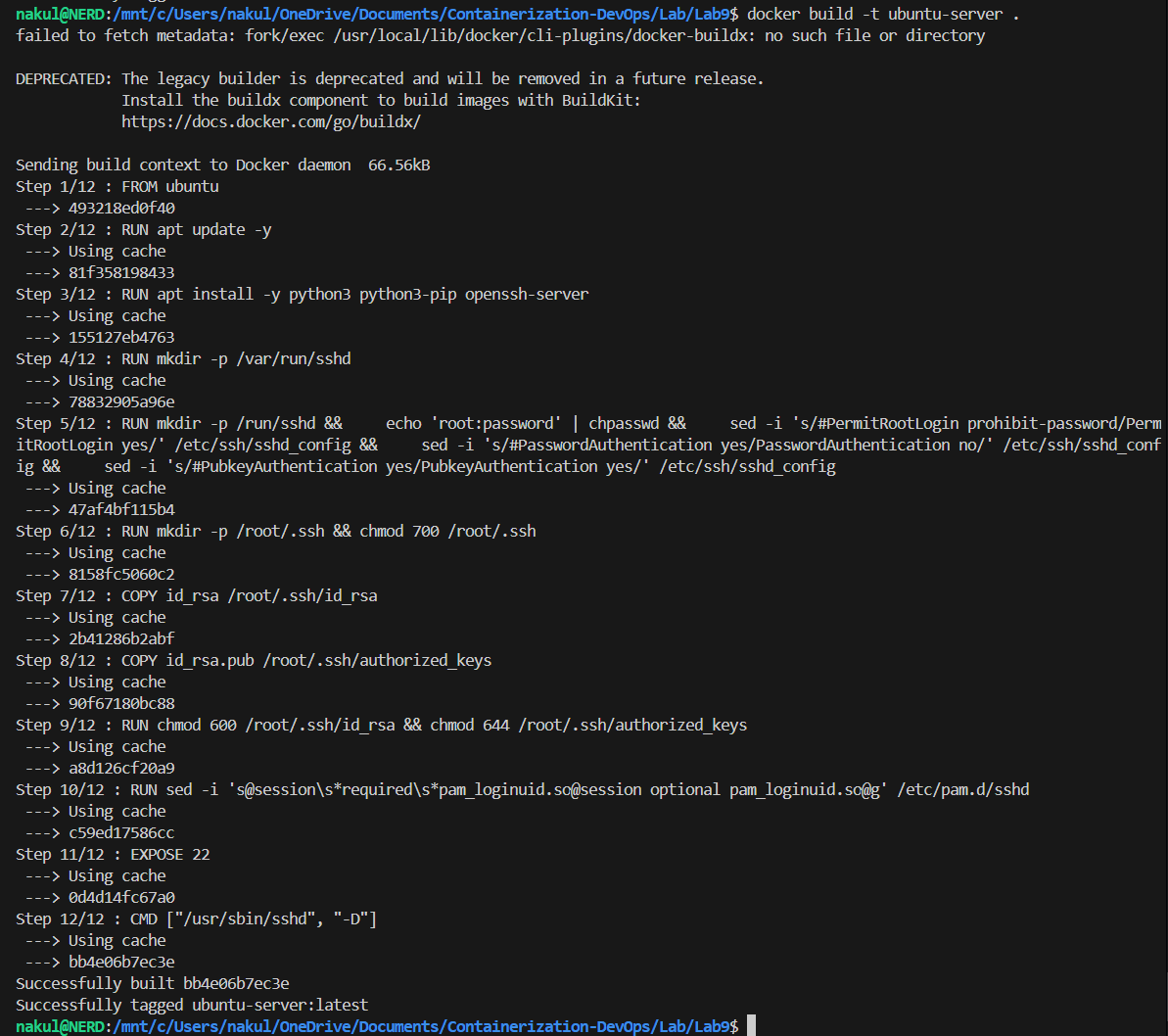
5. Build Docker Image
Built our mock server image:
docker build -t ubuntu-server .
📸 Screenshot:
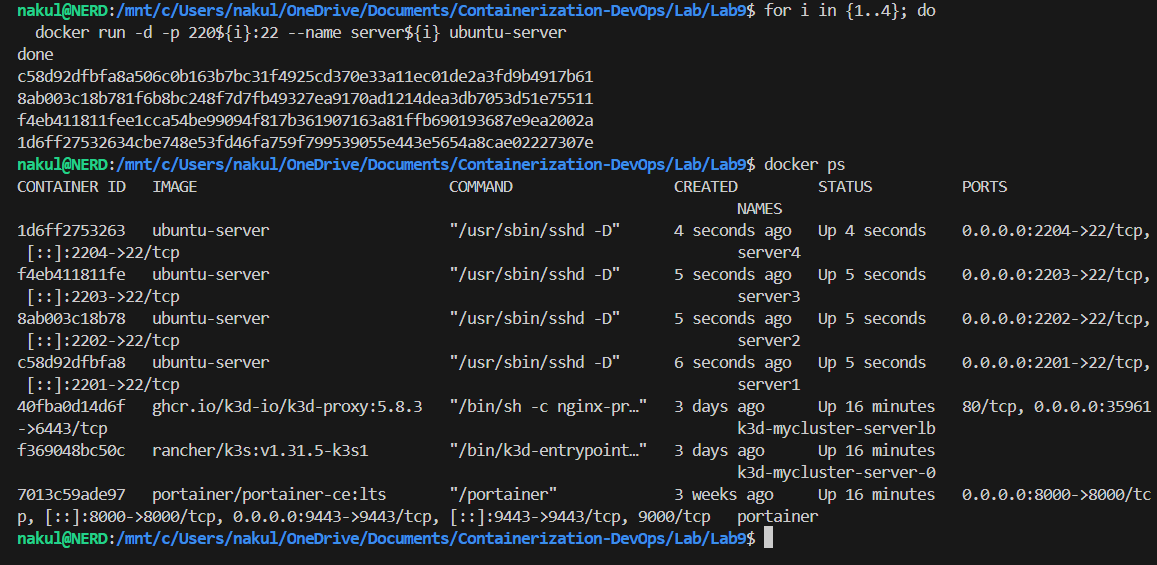
6. Run Multiple Servers
Deployed four mock servers using Docker:
for i in {1..4}; do
  docker run -d -p 220${i}:22 --name server${i} ubuntu-server
done
📸 Screenshot:
7. Create Inventory File
Extracted the IPs of the Docker containers and generated an inventory.ini mapping so Ansible knows exactly how to connect to them:
[servers]
<server_ip_1>
<server_ip_2>
<server_ip_3>
<server_ip_4>

[servers:vars]
ansible_user=root
ansible_ssh_private_key_file=~/.ssh/id_rsa
ansible_python_interpreter=/usr/bin/python3
ansible_ssh_common_args='-o StrictHostKeyChecking=no'
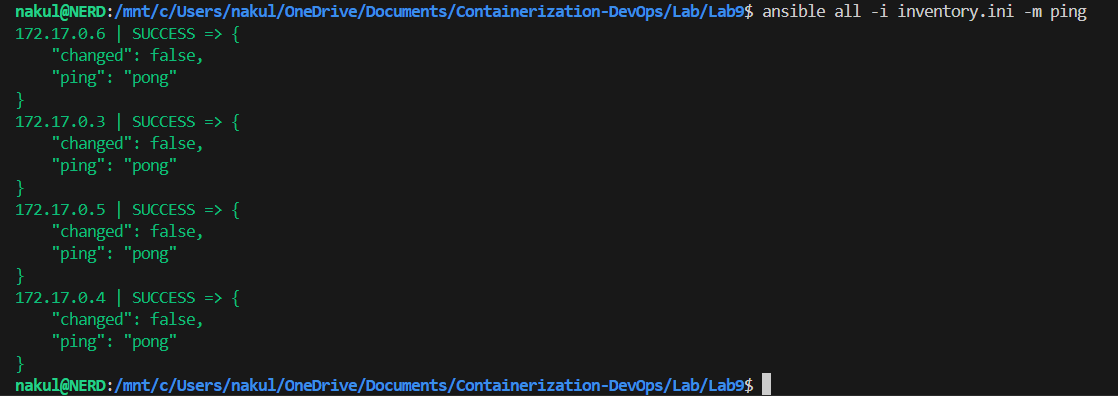
8. Test Connectivity
Ensured Ansible could cleanly reach all target machines:
ansible all -i inventory.ini -m ping
📸 Screenshot:
9. Create Playbook
Wrote an Ansible Playbook (playbook.yml) to automatically install packages and deploy a text file to all remote nodes.
---
- name: Configure servers
  hosts: all
  become: yes

  tasks:
    - name: Update packages
      apt:
        update_cache: yes

    - name: Install packages
      apt:
        name: ["vim", "htop", "wget"]
        state: present

    - name: Create file
      copy:
        dest: /root/test.txt
        content: "Configured by Ansible on \n"
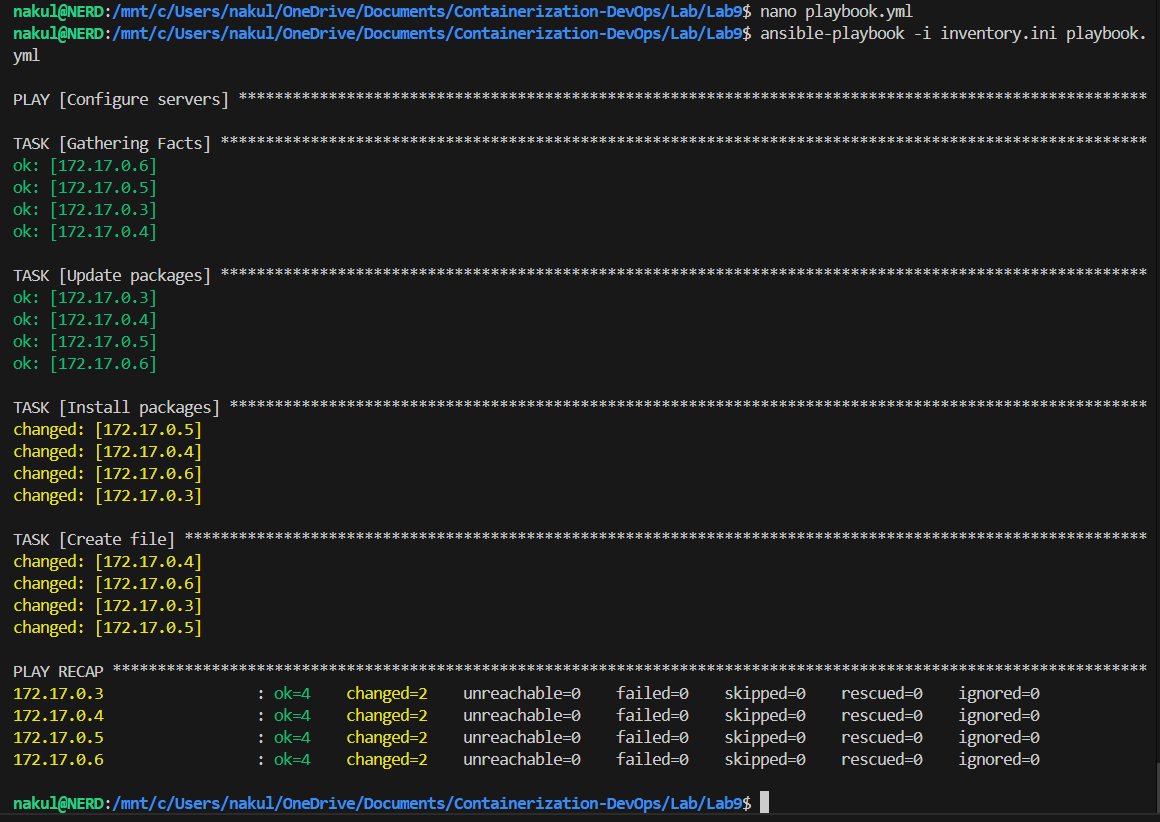
10. Run Playbook
Executed the playbook against all four dummy servers:
ansible-playbook -i inventory.ini playbook.yml
📸 Screenshot:
11. Verify Output
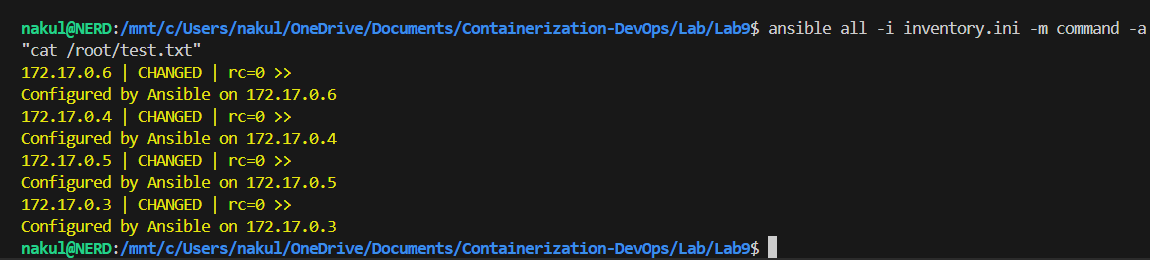
Remotely checked the outcome on the target servers:
ansible all -i inventory.ini -m command -a "cat /root/test.txt"
📸 Screenshot:
12. Cleanup
Removed all test simulation containers:
for i in {1..4}; do
  docker rm -f server${i}
done
✅ Results
- Ansible successfully initialized and mapped to multi-node targets dynamically.
inventory.inieffectively permitted connection overriding local Windows permissions mappings.- The
playbook.ymlsecurely provisioned 4 nodes installingvim,htop,wgetsecurely without failing. - A dynamically verified file
/root/test.txtproved environment replication and template integration!