containerization-and-devops
Class 6 - Docker Networking (Hands-on)
Objective
- To understand Docker default networks
- To inspect bridge network configuration
- To create a custom bridge network
- To connect containers within same network
- To test container-to-container communication
- To understand host network mode
Environment Used
- Host OS: Windows
- Linux Environment: WSL Ubuntu
- Container Platform: Docker Engine
- Terminal: WSL Ubuntu
Experiment Execution with Screenshots
Step 1: List Available Docker Networks
Command executed:
docker network ls

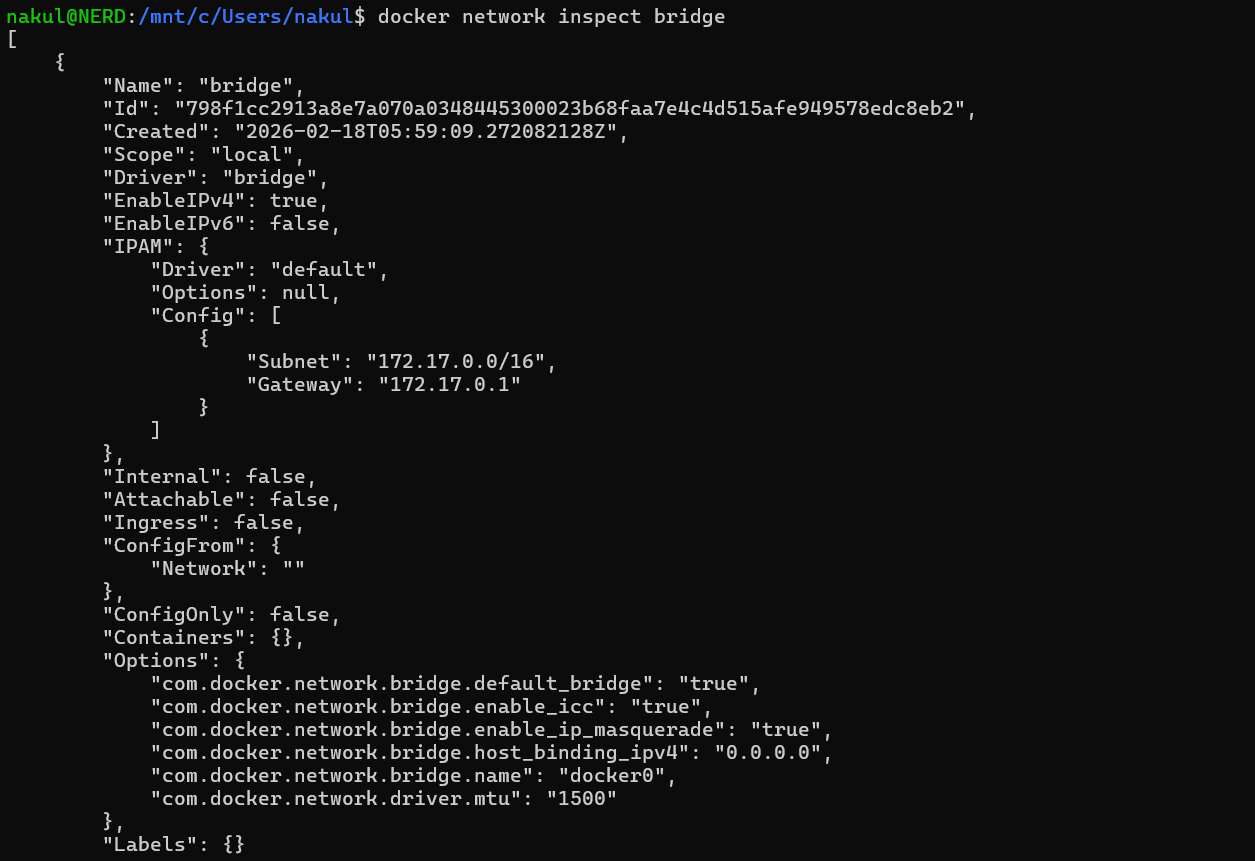
Step 2: Inspect Default Bridge Network
Command executed:
docker network inspect bridge
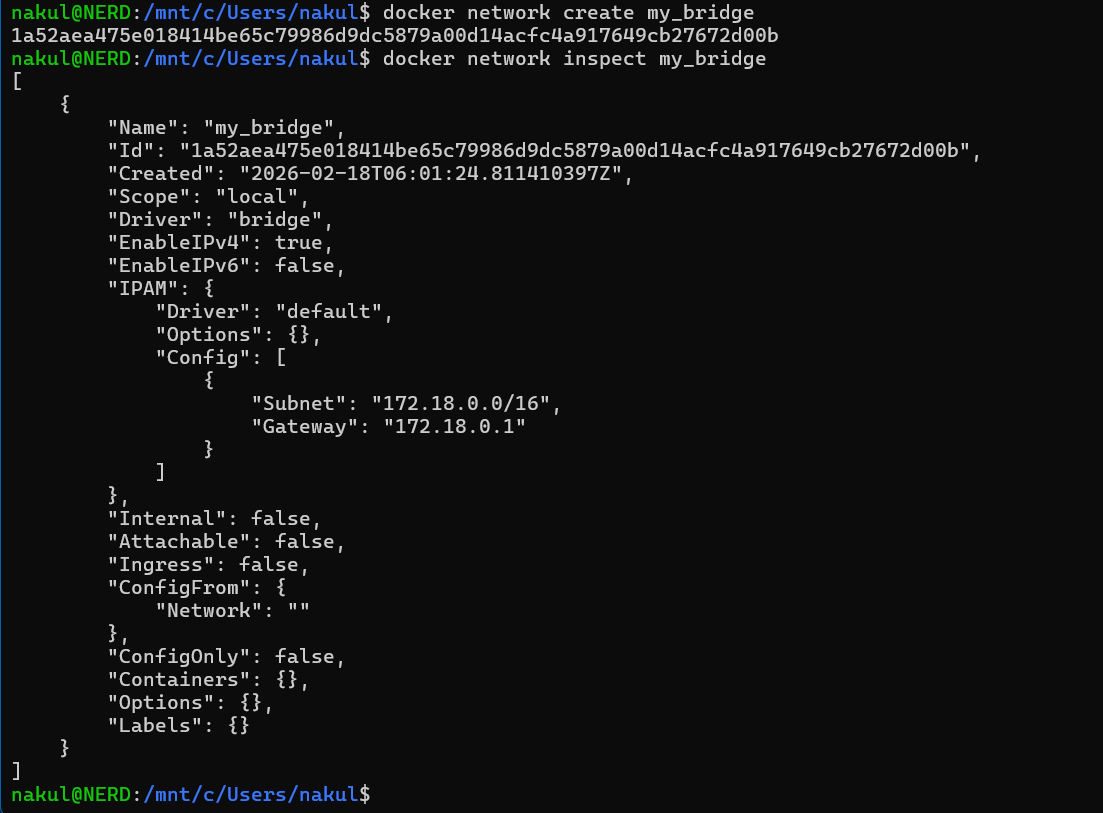
Step 3: Create Custom Bridge Network
Command executed:
docker network create my_bridge
docker network inspect my_bridge
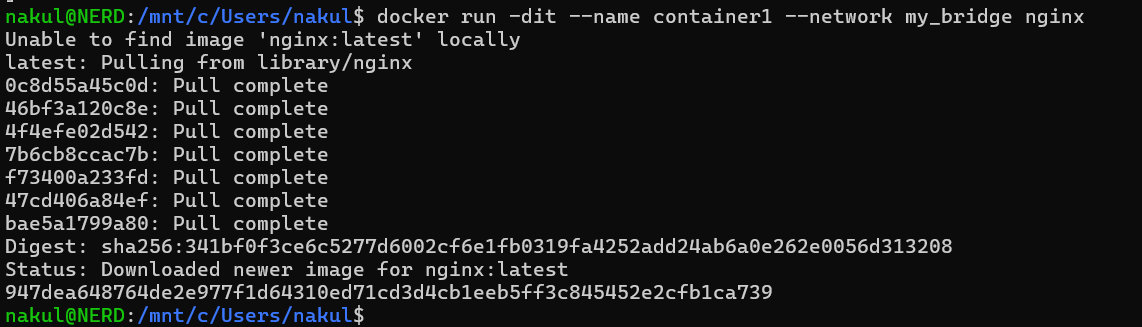
Step 4: Run Nginx Container in Custom Network
Command executed:
docker run -dit --name container1 --network my_bridge nginx
Step 5: Run BusyBox Container in Same Network
Command executed:
docker run -dit --name container2 --network my_bridge busybox

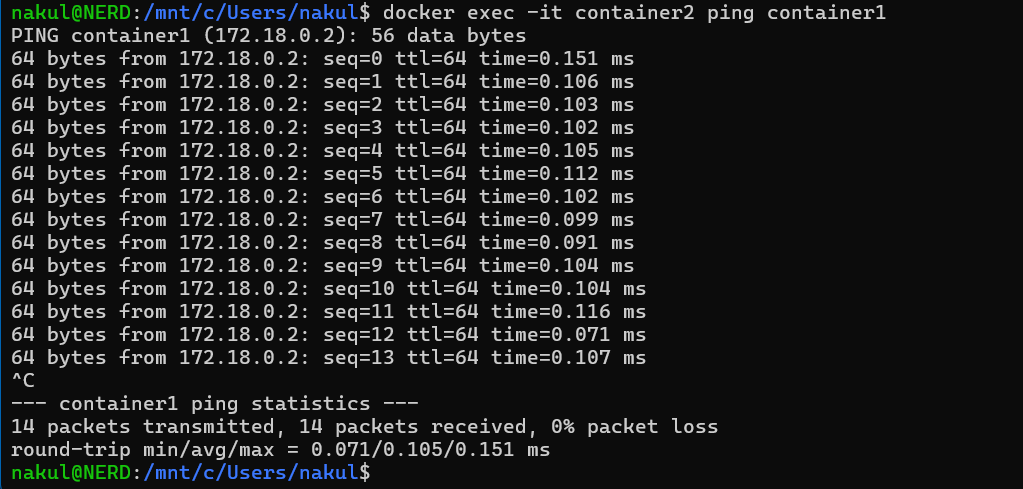
Step 6: Test Container-to-Container Communication
Command executed:
docker exec -it container2 ping container1
Step 7: Run Container in Host Network Mode
Command executed:
docker run -d --network host nginx

Step 8: Verify Listening Ports on Host
Command executed:
ss -tulnp | grep 80
