containerization-and-devops
Class 12 - Kubernetes 2 (Review & Basics)
1. Introduction to Kubernetes
What is Kubernetes? Kubernetes is a platform used to:
- Deploy applications
- Scale them
- Manage containers automatically
👉 It handles everything needed to run apps reliably.
Why Kubernetes is Needed Modern apps have:
- Backend
- Frontend
- Database
- Cache
Problems without Kubernetes:
- Hard to start services in order
- No automatic scaling
- Difficult networking
- No crash recovery
Solution: Kubernetes automates:
- Deployment
- Scaling
- Self-healing
- Load balancing
2. Kubernetes Architecture
A cluster has 2 main parts:
A. Control Plane (Master)
Components:
- API Server: Entry point, all commands go through it
- Scheduler: Decides where containers run
- Controller Manager: Maintains desired state (e.g., Keeps 3 pods running)
- etcd: Stores cluster data
B. Worker Nodes
Components:
- Kubelet: Talks to control plane
- Container Runtime: Runs containers (Example: Docker)
- Kube Proxy: Handles networking
3. Why Not Real Kubernetes for Learning?
Real clusters need:
- Multiple nodes
- High RAM (16–32 GB)
- Complex setup
👉 Not suitable for laptops
4. Tools for Local Kubernetes
| Tool | Characteristics |
|---|---|
| Minikube | Single node, Beginner friendly |
| k3s | Lightweight Kubernetes |
| k3d | Runs k3s in Docker, Fast and easy |
| kind | Kubernetes in Docker, Good for testing |
5. Recommended Setup
- WSL → Linux environment
- kubectl → Command tool
- k3d → Fast cluster
- Lens (optional GUI) → Visual UI
6. Installation
Install kubectl
curl -LO https://dl.k8s.io/release/stable/bin/linux/amd64/kubectl
chmod +x kubectl
sudo mv kubectl /usr/local/bin/
kubectl version --client
Install k3d
curl -s https://raw.githubusercontent.com/k3d-io/k3d/main/install.sh | bash
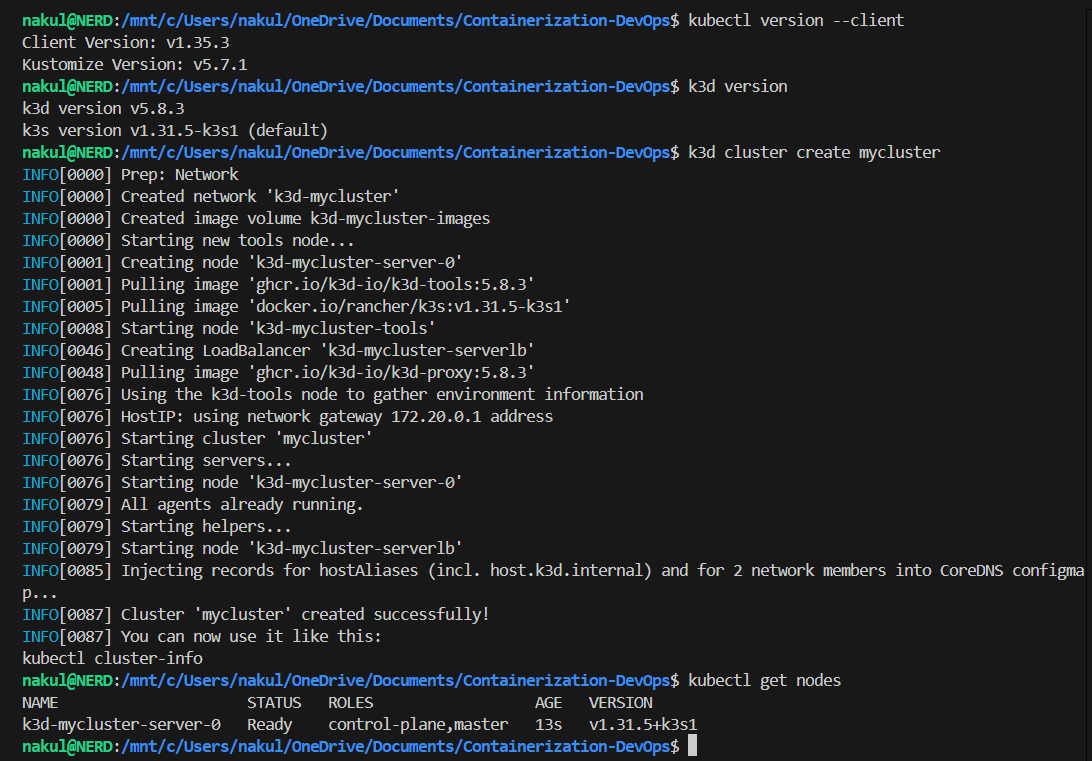
Create Cluster
k3d cluster create mycluster
kubectl get nodes
Terminal Output
7. kubectl Basics
What is kubectl? CLI tool to interact with Kubernetes.
Cluster Connection
kubectl uses: ~/.kube/config
Contains:
- Cluster info
- Credentials
- Context
View Clusters
kubectl config get-contexts
Switch Cluster
kubectl config use-context k3d-mycluster
8. Common Commands (IMPORTANT)
View Nodes:
kubectl get nodes
View Pods:
kubectl get pods
Run Container:
kubectl run nginx --image=nginx
Pod Details:
kubectl describe pod nginx
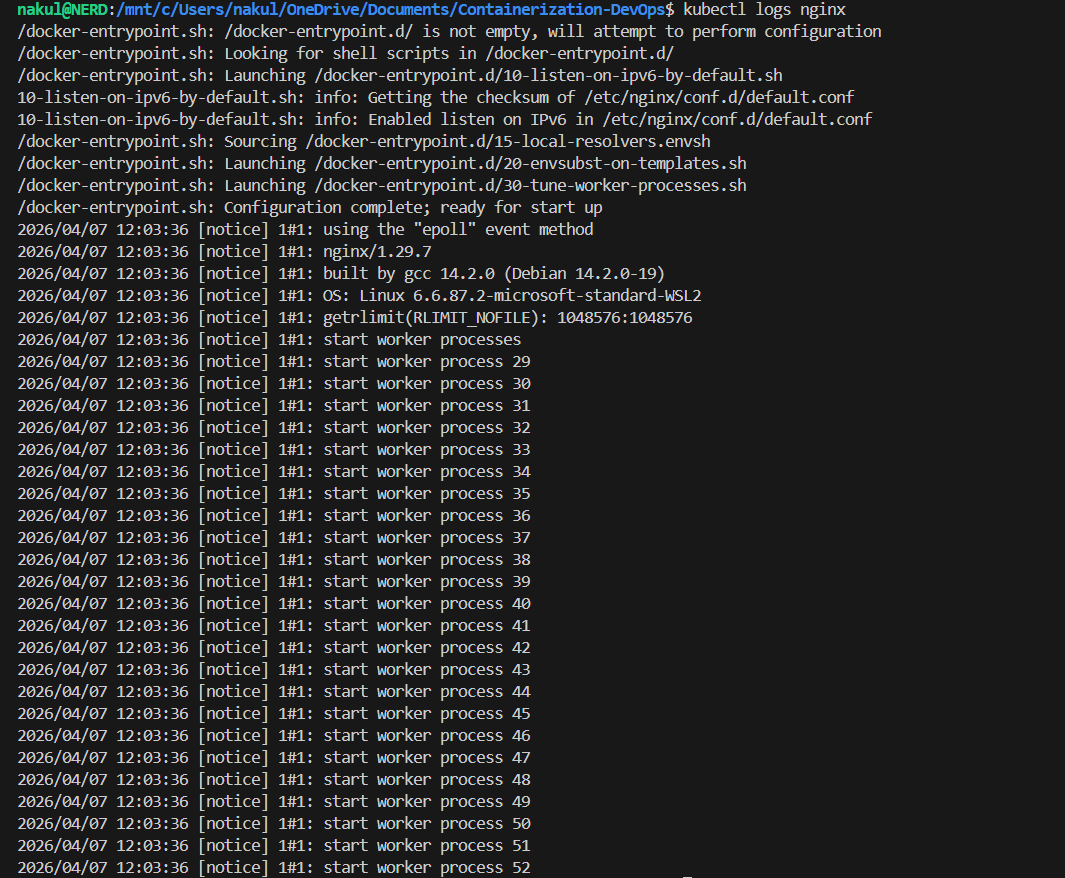
Logs:
kubectl logs nginx
Terminal Output
9. Deployment
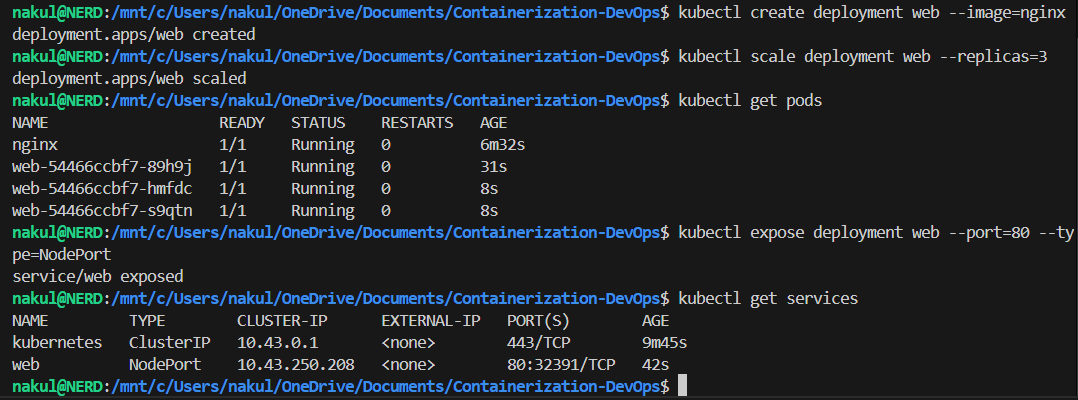
Create Deployment:
kubectl create deployment web --image=nginx
Scale App:
kubectl scale deployment web --replicas=3
Expose App:
kubectl expose deployment web --port=80 --type=NodePort
Access App:
kubectl port-forward service/web 8080:80
Delete:
kubectl delete pod nginx
kubectl delete deployment web
Terminal Output
10. Advanced Topics (Mention Only)
- Ingress
- ConfigMaps
- Secrets
- Storage
- Helm
- CI/CD
11. kubeconfig Deep Understanding
3 Main Sections:
- Clusters: Server address
- Users: Credentials
- Context: Cluster + User
Current Context:
current-context: k3d-mycluster
12. How kubectl Works
- Reads
kubeconfig - Finds context
- Connects to API server
- Executes command
13. Common Issues
kubectl not working:
- Wrong context
- Missing config
Fix:
kubectl config use-context <correct-cluster>
14. Simple Analogy
- Cluster → Server
- User → Login
- Context → Selected account
- kubectl → Client
15. Final Summary
Kubernetes manages containers automatically.
- Uses declarative approach
- Handles scaling, failures, networking
🔥 One-Line Memory Trick:
Kubernetes = “System that ensures your app runs exactly how you defined.”
| ← Previous Class | Next Class → | Theory Index |