containerization-and-devops
Class 13 - Apache Web App Deployment & Debugging
1. Objective
Deploy and manage an Apache web server and:
- Verify it runs
- Modify it
- Scale it
- Debug it
2. Step-by-Step Flow (IMPORTANT)
Step 1: Run a Pod (Basic)
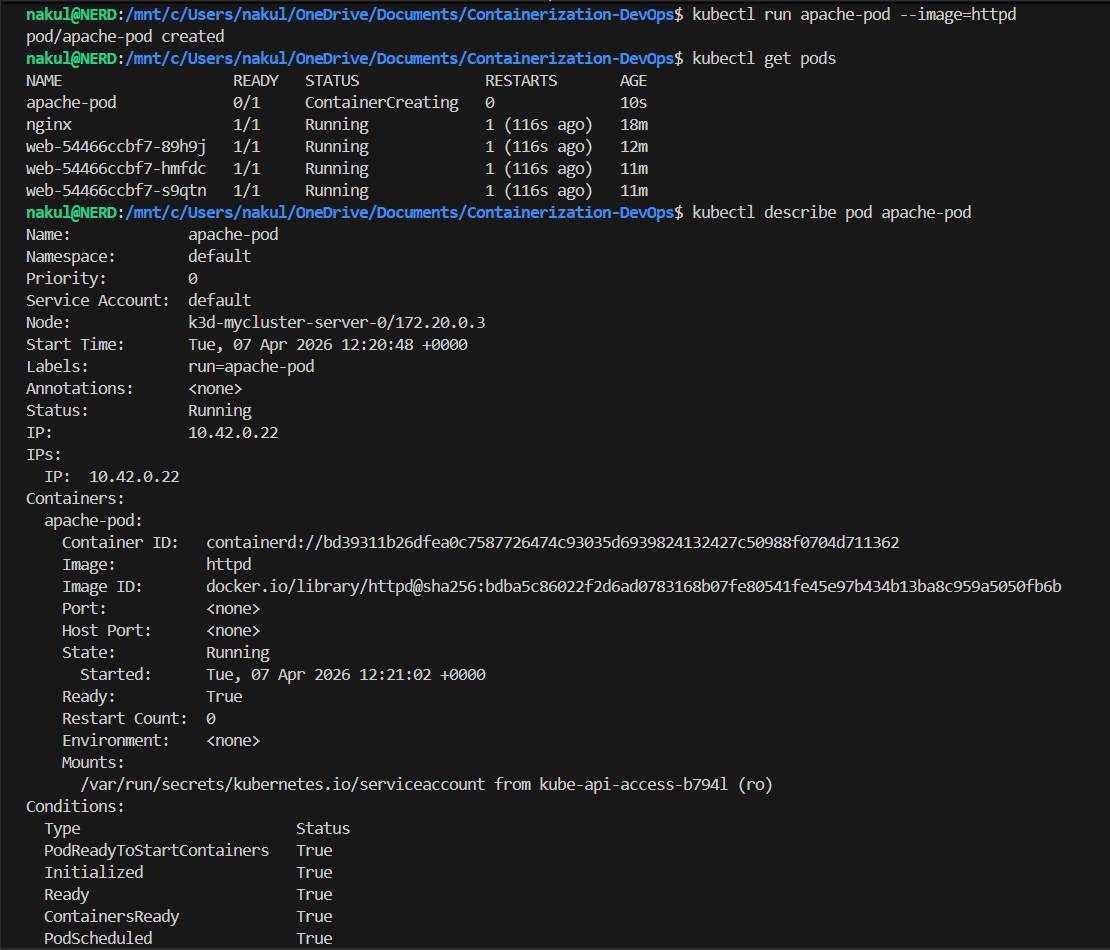
kubectl run apache-pod --image=httpd
kubectl get pods
👉 Creates a single temporary pod
Step 2: Inspect Pod
kubectl describe pod apache-pod
Check for:
- Image = httpd
- Port = 80
- Events
Step 3: Access App
kubectl port-forward pod/apache-pod 8081:80
Open: http://localhost:8081 👉 You will see: “It works!”
Terminal Output
Step 4: Delete Pod
kubectl delete pod apache-pod
Insight: Pod is deleted permanently. ❌ No recovery.
3. Why Pod is Not Enough
👉 Pod = Temporary 👉 No self-healing
4. Convert to Deployment (IMPORTANT)
Step 5: Create Deployment
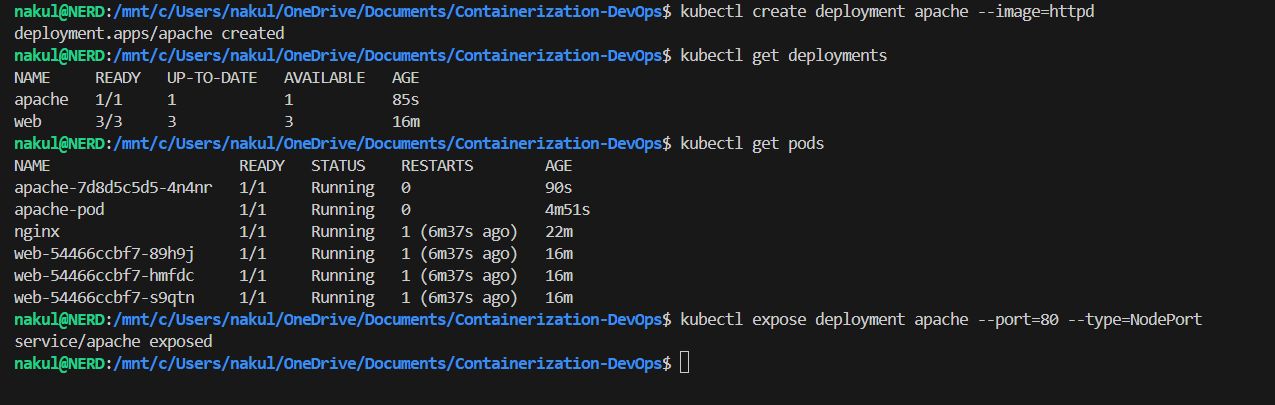
kubectl create deployment apache --image=httpd
kubectl get deployments
kubectl get pods
👉 Deployment manages pods.
Step 6: Expose Deployment
kubectl expose deployment apache --port=80 --type=NodePort
Access App:
kubectl port-forward service/apache 8082:80
Open: http://localhost:8082
Terminal Output
5. Scaling (VERY IMPORTANT)
Step 7: Scale
kubectl scale deployment apache --replicas=2
kubectl get pods
👉 Now:
- Multiple pods run the same app
- Better availability
Observation: Refresh the browser. Requests are handled by different pods.
Terminal Output

6. Debugging (MOST IMPORTANT SKILL)
Step 8: Break App
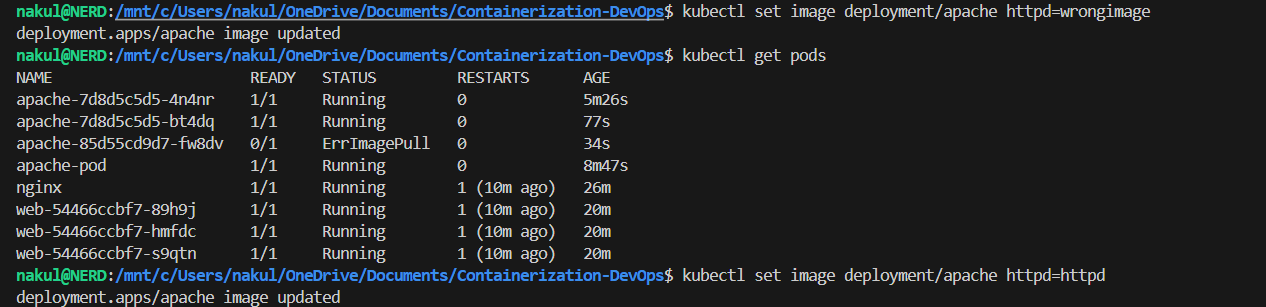
kubectl set image deployment/apache httpd=wrongimage
Step 9: Diagnose
kubectl get pods
kubectl describe pod <pod-name>
Error: ImagePullBackOff
Step 10: Fix
kubectl set image deployment/apache httpd=httpd
Terminal Output
7. Work Inside Container
Step 11: Enter Pod
kubectl exec -it <pod-name> -- /bin/bash
Check Files:
ls /usr/local/apache2/htdocs
👉 This is where website files are stored.
Exit:
exit
8. Modify App (COOL PART)
kubectl exec -it <pod-name> -- /bin/bash
echo "Hello from Kubernetes" > /usr/local/apache2/htdocs/index.html
👉 Refresh browser → Content changes!
Terminal Output

9. Self-Healing (VERY IMPORTANT CONCEPT)
Step 12: Delete One Pod
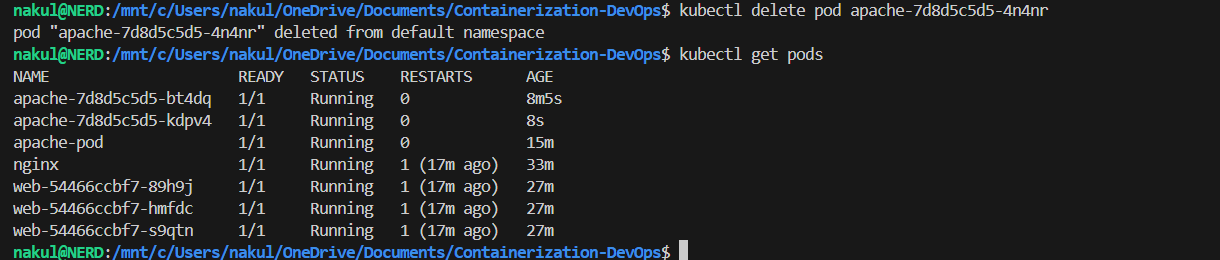
kubectl delete pod <pod-name>
kubectl get pods -w
👉 Kubernetes automatically: Creates a new pod.
Insight: Deployment ensures: Desired state = maintained.
Terminal Output
10. Cleanup
kubectl delete deployment apache
kubectl delete service apache
Terminal Output

11. Port Forwarding (Important Theory)
Why it blocks the terminal: Runs a live connection with continuous data flow.
Run in Background:
kubectl port-forward pod/apache-pod 8081:80 &
Manage Processes:
jobs
ps aux | grep port-forward
kill %1
kill <PID>
pkill -f port-forward
Best Practice:
tmux new -s pf
kubectl port-forward pod/apache-pod 8081:80
Detach: Ctrl + b, then d
12. Key Concepts (VERY IMPORTANT FOR EXAM)
Pod vs Deployment
| Feature | Pod | Deployment | |—|—|—| | Lifespan | Temporary | Permanent | | Failure | No recovery | Self-healing | | Management| Manual | Automated |
Port Forwarding
- Only for debugging
- Not for production
Service
- Stable access point
Scaling
- Multiple pods = reliability
Debugging
👉 kubectl describe = Most important command
🔥 FINAL UNDERSTANDING
This lab teaches:
- Real deployment
- Scaling
- Debugging
- Self-healing
- Container internals
| ← Previous Class | Next Class → | Theory Index |