containerization-and-devops
Class 14 - Git Basics (Hands-on)
1. Objective
Master the fundamental concepts and commands of Git, including:
- Repository initialization and basic commits
- Viewing history with graph logs
- Checking diffs and status
- Branch creation and navigation
- Detached HEAD states and merging
2. Step-by-Step Flow (According to Screenshots)
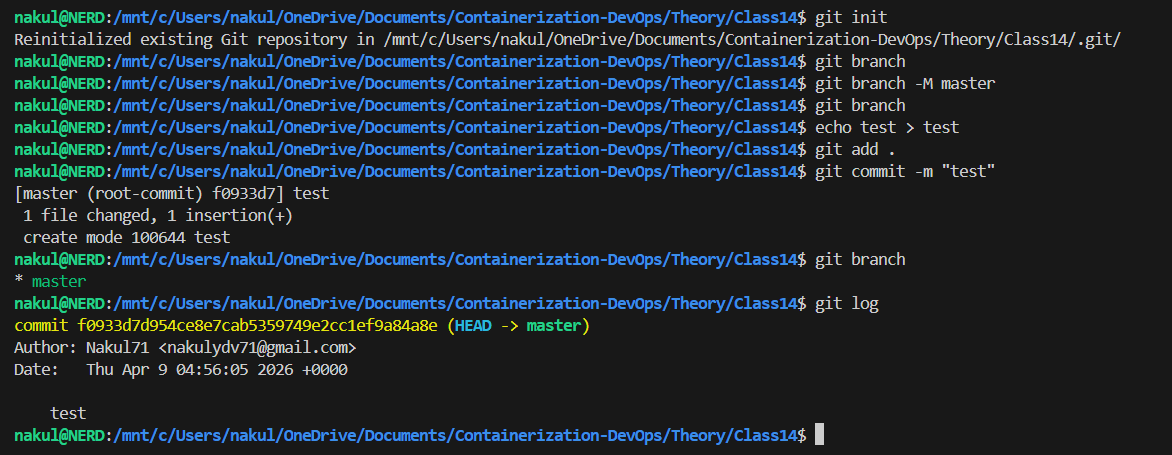
Step 1: Initialize Git and First Commit
Using init to start tracking. Changing default branch name, making edits, staging, and committing.
git init
git branch -M master
echo test > test
git add .
git commit -m "test"
git log
👉 The git init command creates a hidden .git folder.
Terminal Output
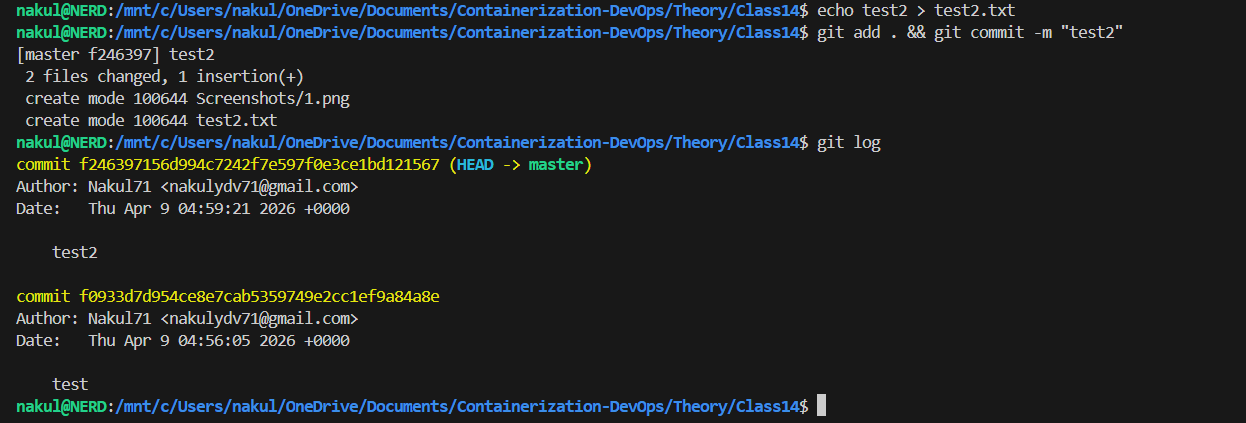
Step 2: Second Commit
Adding another file and committing. Let’s see the history growth.
echo test2 > test2.txt
git add . && git commit -m "test2"
git log
Terminal Output
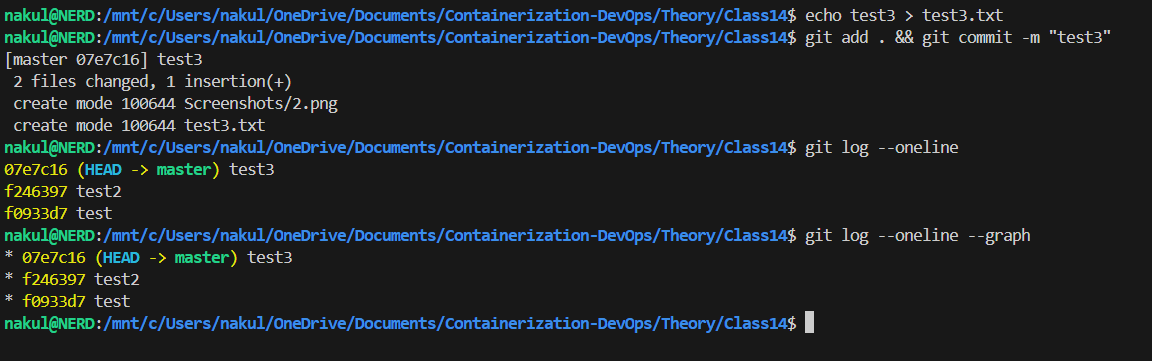
Step 3: Third Commit & Graph Log
Using short logs to visualize history properly.
echo test3 > test3.txt
git add . && git commit -m "test3"
git log --oneline
git log --oneline --graph
👉 --oneline --graph visualizes the branch history in a concise format.
Terminal Output
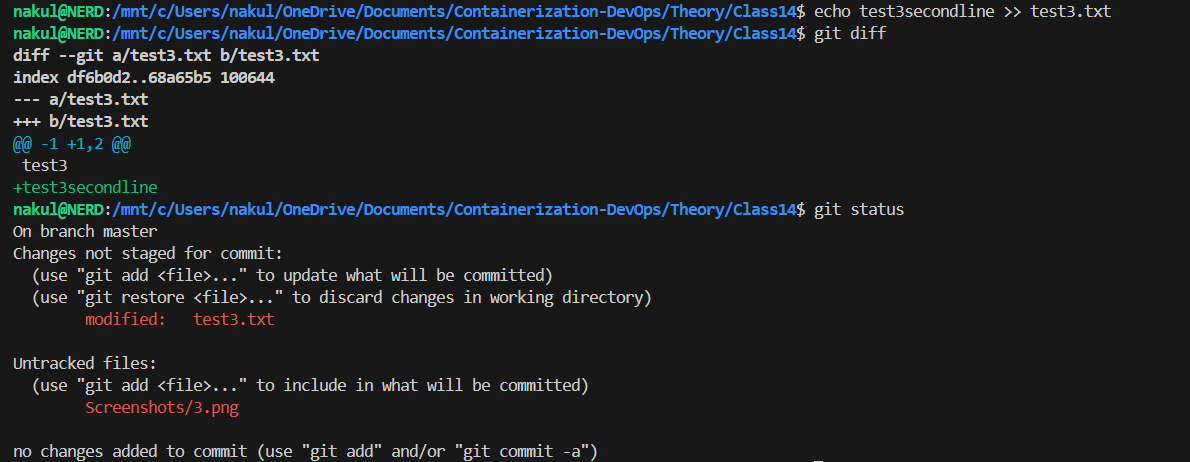
Step 4: Git Diff and Status
Reviewing unsaved changes before a commit.
echo test3secondline >> test3.txt
git diff
git status
👉 git diff shows the exact line changes in modified files.
👉 git status distinguishes between modified and untracked files.
Terminal Output
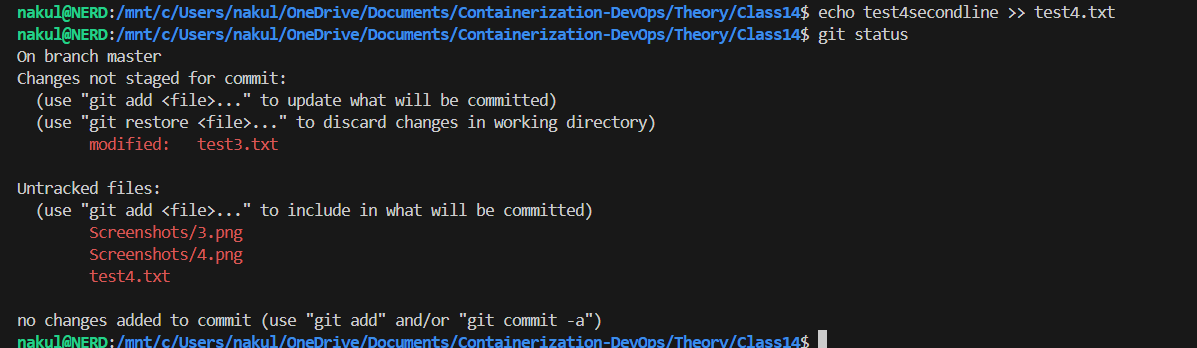
Step 5: Untracked Files Status
Creating new files to observe git status output.
echo test4secondline >> test4.txt
git status
Terminal Output
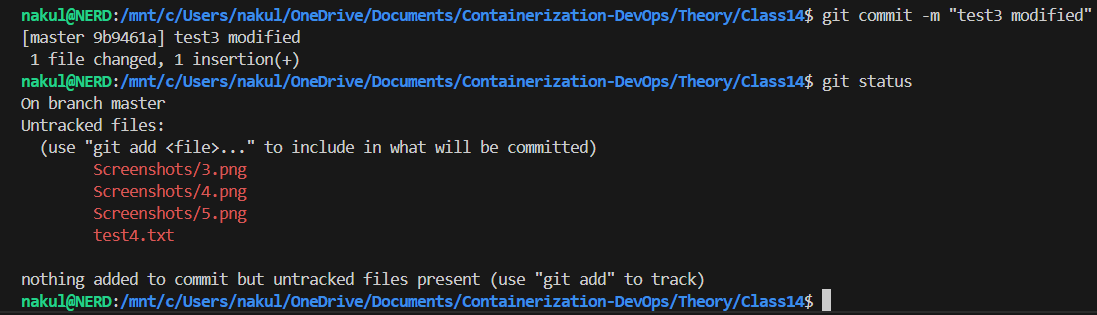
Step 6: Committing Modified Files
Saving the specific modifications shown above.
git commit -m "test3 modified"
git status
Terminal Output
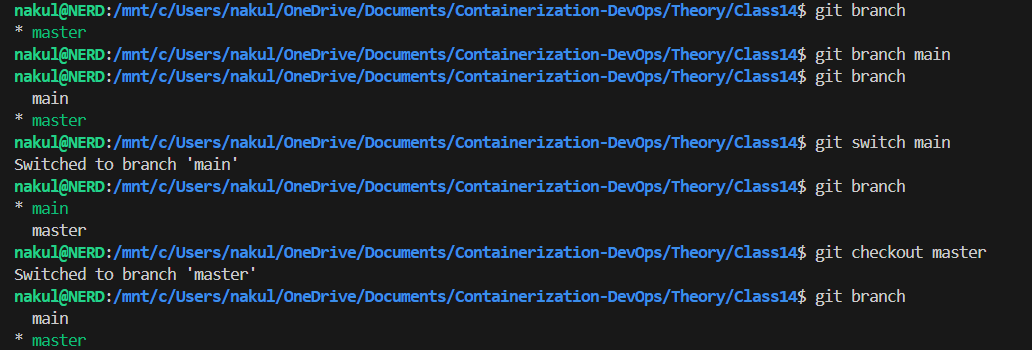
Step 7: Branching Basics
Creating and navigating between branches.
git branch main
git switch main
git checkout master
👉 git branch creates or lists branches. git switch or git checkout change the active branch.
Terminal Output
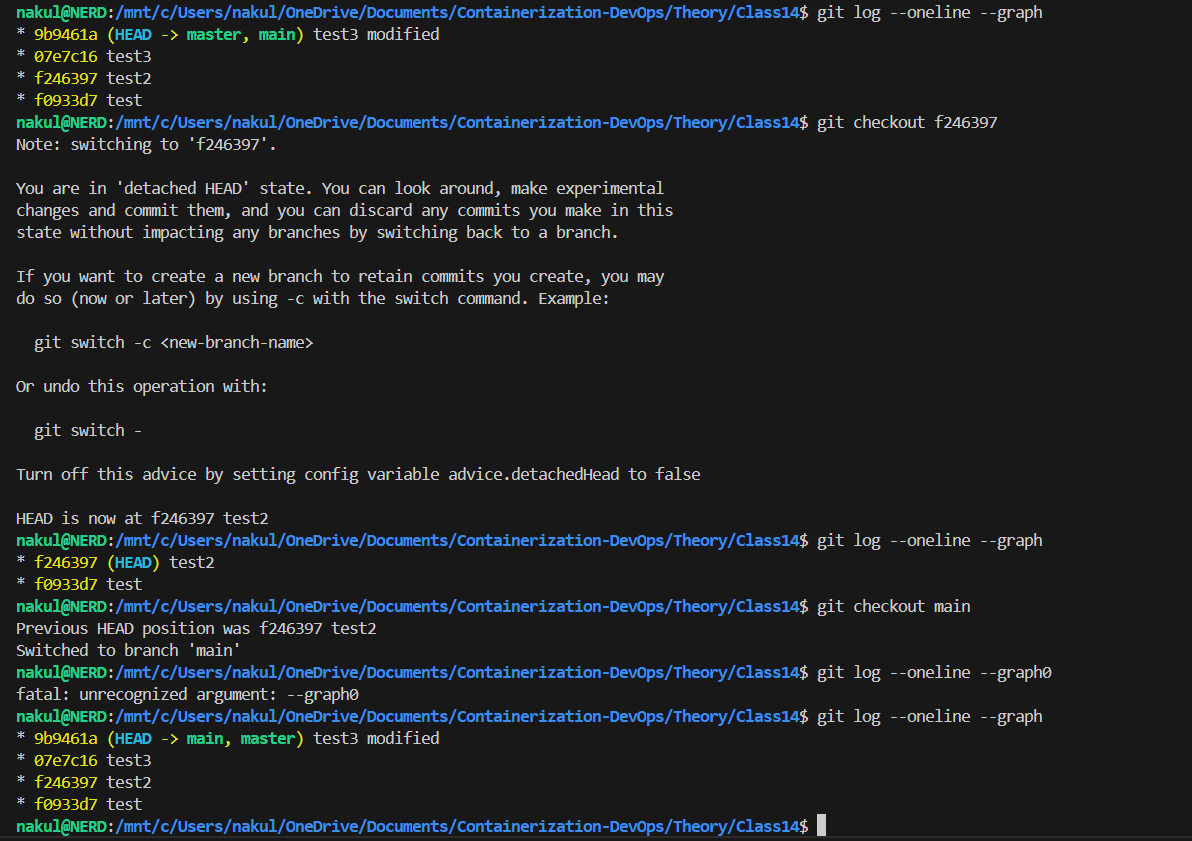
Step 8: Detached HEAD State
Checking out a specific point in time (commit hash).
git log --oneline --graph
git checkout f246397
git checkout main
👉 Warning: When in “detached HEAD”, changes aren’t associated with a branch unless a new branch is explicitly created.
Terminal Output
Step 9: Deleting a Branch
Deleting the master branch.
git branch && git branch -D master
Terminal Output

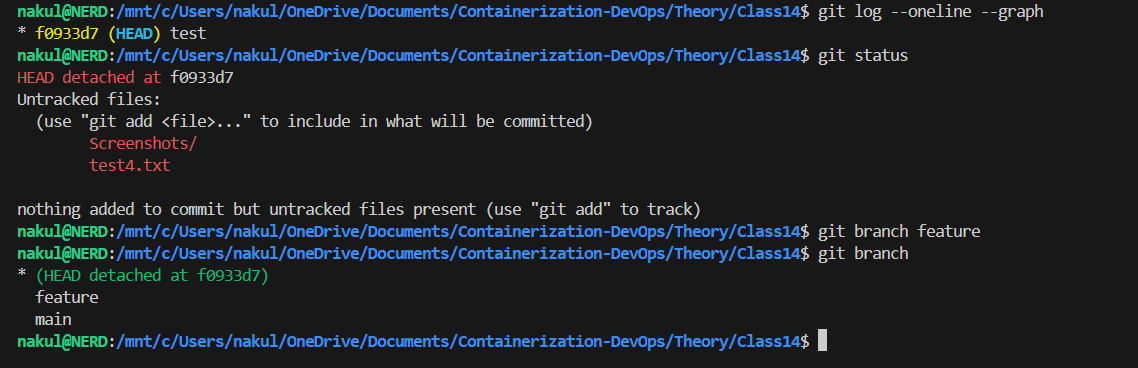
Step 10: Creating Branch from Detached HEAD
Creating a new branch to keep specific snapshot commits.
# While detached at an older commit
git branch feature
git branch
Terminal Output
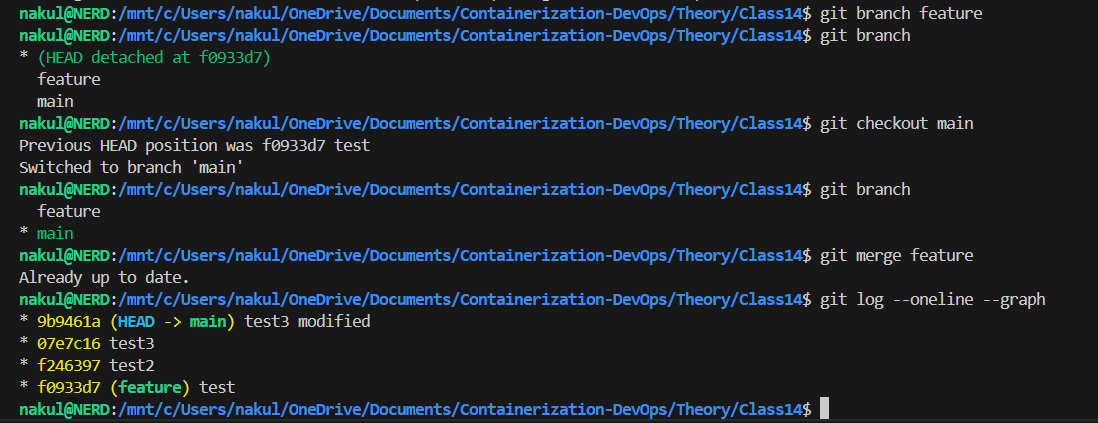
Step 11: Merging (Already Up to Date)
Attempting a merge when the current branch has the history of the target.
git checkout main
git merge feature
Terminal Output
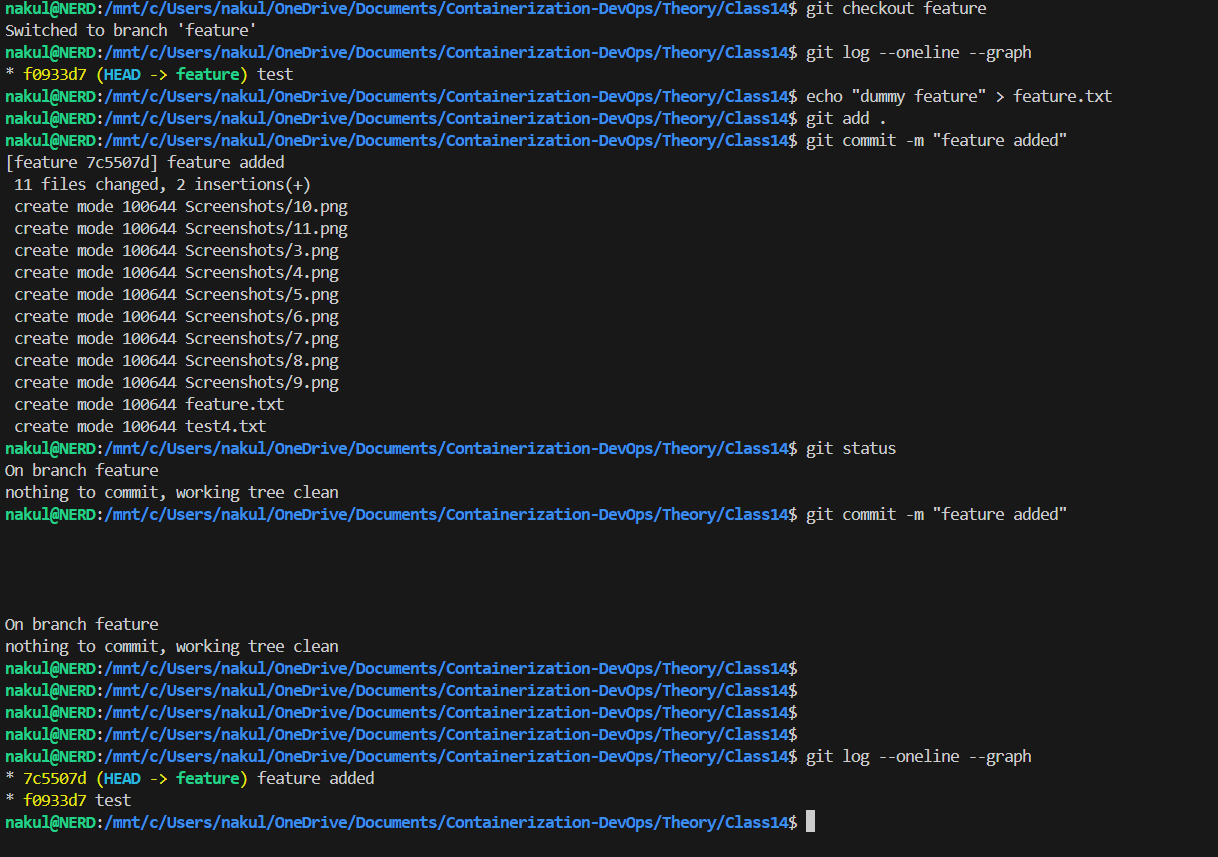
Step 12: Adding Commits to Feature Branch
git checkout feature
echo "dummy feature" > feature.txt
git add .
git commit -m "feature added"
Terminal Output
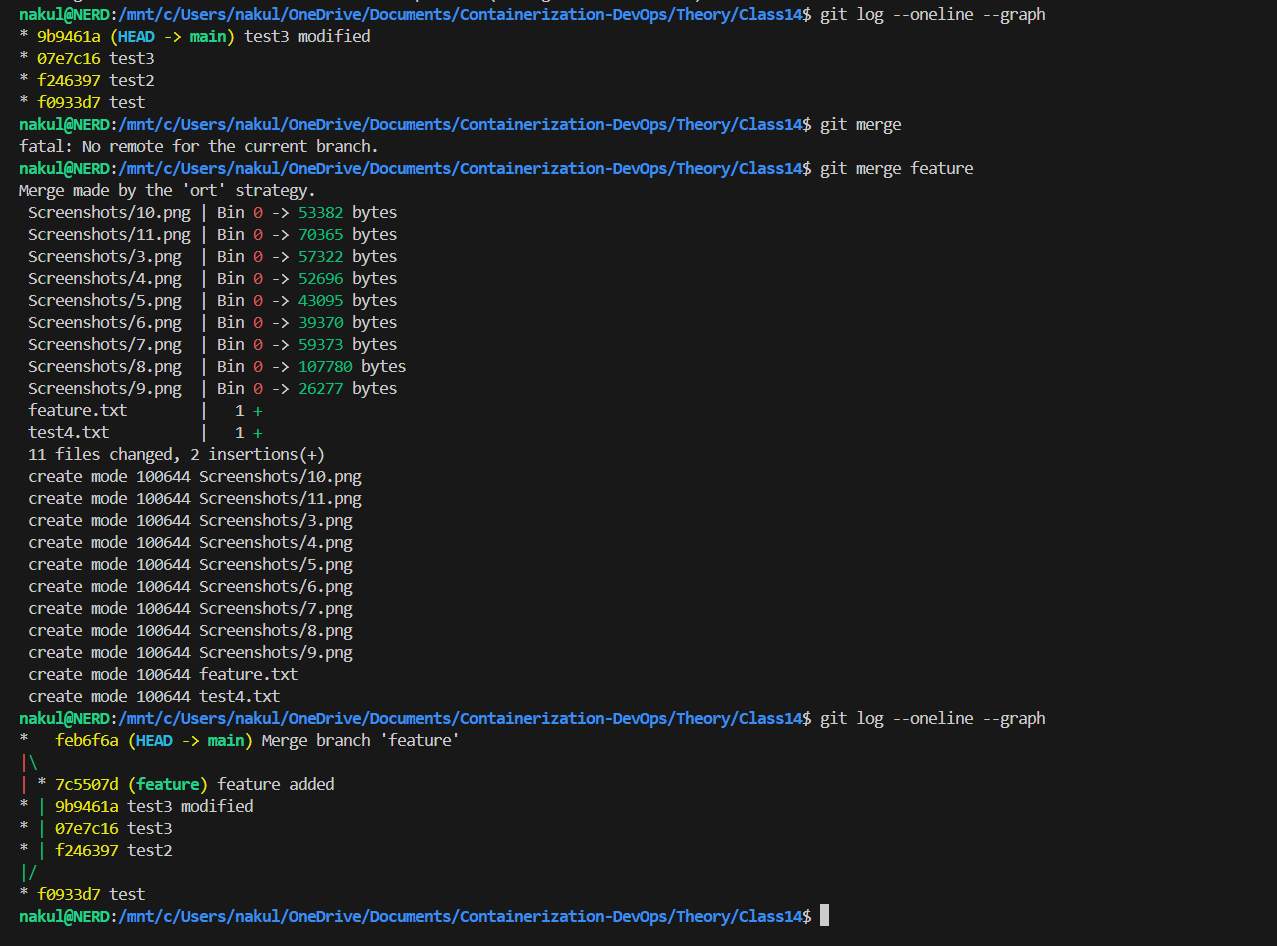
Step 13: The Final Merge
# From main branch
git merge feature
git log --oneline --graph
👉 This creates a true merge commit combining the history of both branches.
Terminal Output
3. Key Git Commands Summary
| Command | Description |
|---|---|
git init |
Initialize a new Git repository |
git add <file> |
Stage changes for commit |
git commit -m "msg" |
Save staged changes with a message |
git status |
Show the state of the working directory |
git log |
Show commit history |
git diff |
Show changes between commits/working tree |
git branch |
List, create, or delete branches |
git checkout |
Switch branches or restore working tree files |
git merge |
Join two or more development histories together |
4. Final Insight
Git is essential for version control, allowing developers to track changes, collaborate effectively, and revert to previous states if something goes wrong. Understanding branches and merges is the key to managing complex projects.
| ← Previous Class | Theory Index |